{"pageContext":{"items":[{"title":"3D WebView v5.0","date":"2026-11-15","hideListBullets":false,"content":"3D WebView v5.0 is out now with some important updates:\n\n- Upgraded Chromium to v156 on Windows and macOS\n- Native Apple Silicon (arm64) build of Chromium on macOS\n- Support for disabling Unity's \"reload domain\" editor setting","images":[{"url":"/post-assets/20261115-v5.0.jpg","linkUrl":"https://developer.vuplex.com/webview/releases","title":"3D WebView Release Notes"}],"blueskyUrl":"https://bsky.app/profile/vuplex.com/post/3n2ekazmdas2v","facebookUrl":"https://www.facebook.com/vuplexbrowser/posts/pfbid0G9bNDHPFHHQ4ga82iksorbZn5EYLNYpqNDW7puR97RdmHBKChkJtiE7rz6sqFpAGl","linkedInUrl":"https://www.linkedin.com/feed/update/urn:li:activity:7527786020717842432"},{"title":"3D WebView v4.15","date":"2026-01-28","hideListBullets":false,"content":"New in 3D WebView v4.15: browser audio can now be [output as a Unity AudioSource](https://support.vuplex.com/articles/browser-audio) on Windows and macOS. This allows apps to:\n\n- control audio settings, like volume\n- spatialize audio as a 3D sound source\n- access raw audio data","images":[{"url":"/post-assets/20260128-v4.15.jpg","linkUrl":"https://developer.vuplex.com/webview/releases","title":"3D WebView Release Notes"}],"blueskyUrl":"https://bsky.app/profile/vuplex.com/post/3mdjjmjedb22r","facebookUrl":"https://www.facebook.com/vuplexbrowser/posts/pfbid02axsfQtpHP9guWGdywpGPkRhBpPBTb9dRMPfjt4Z6tki5RDAEkEjZVHKQZvN7TWLdl","linkedInUrl":"https://www.linkedin.com/feed/update/urn:li:activity:7422435881279504384"},{"title":"3D WebView v4.14","date":"2025-12-04","hideListBullets":false,"content":"3D WebView v4.14 is out now! Highlights:\n\n- macOS: Added the option to [use WKWebView as the browser engine](https://support.vuplex.com/articles/standalone-browser-engines), which supports the Mac App Store and has faster startup time on Apple Silicon compared to Chromium.\n- iOS and visionOS: Added support for increasing the [pixel density](https://developer.vuplex.com/webview/CanvasWebViewPrefab#PixelDensity) to make web content appear sharper / less blurry.","images":[{"url":"/post-assets/20251204-v4.14.jpg","linkUrl":"https://developer.vuplex.com/webview/releases","title":"3D WebView Release Notes"}],"blueskyUrl":"https://bsky.app/profile/vuplex.com/post/3m76ksqjkws26","facebookUrl":"https://www.facebook.com/vuplexbrowser/posts/pfbid0osNTJGcVQcKDgCu4u3EUpNLMMRgh24z3nf82dFTWFHahyaq2jm4MTvVECh75DfEGl","linkedInUrl":"https://www.linkedin.com/feed/update/urn:li:share:7402408524259201026"},{"title":"Free trials of 3D WebView","date":"2025-10-13","hideListBullets":false,"content":"Want to try 3D WebView for free before buying it? You can now [download a free trial](https://store.vuplex.com/free-trials) through the Vuplex Developer Dashboard.","blueskyUrl":"https://bsky.app/profile/vuplex.com/post/3m33ouprkgk2r","facebookUrl":"https://www.facebook.com/vuplexbrowser/posts/pfbid0zhxKhGsXyG6QeKJyzJGkaALL8NsRmJvDFNCBM8XvCsc4v6hW6nBdu3keiqtLmN2rl","linkedInUrl":"https://www.linkedin.com/feed/update/urn:li:activity:7383547627646156809"},{"title":"3D WebView v4.13","date":"2025-10-06","hideListBullets":false,"content":"Some highlights of 3D WebView v4.13:\n\n- visionOS: Support for using CanvasWebViewPrefab with RealityKit\n- New Windows & macOS APIs: [ReloadIgnoreCache()](https://developer.vuplex.com/webview/StandaloneWebView#ReloadIgnoreCache), [BrowserProcessFailed](https://developer.vuplex.com/webview/StandaloneWebView#BrowserProcessFailed), and [Web.AutoEnableIme](https://developer.vuplex.com/webview/Web#AutoEnableIme)\n- Android: new PDF formatting options with [AndroidWebView.CreatePdf()](https://developer.vuplex.com/webview/AndroidWebView#CreatePdf)\n- Bug fixes","images":[{"url":"/post-assets/20251006-v4.13.jpg","linkUrl":"https://developer.vuplex.com/webview/releases","title":"3D WebView Release Notes"}],"blueskyUrl":"https://bsky.app/profile/vuplex.com/post/3m2lfflvnes27","facebookUrl":"https://www.facebook.com/vuplexbrowser/posts/pfbid0Z87Y3kAsVuASFn2Lr2Z3FxrGjNJw2RhhQoeMdqHfVzfJ7fNkBemMXpzBuve8zcunl","linkedInUrl":"https://www.linkedin.com/posts/vuplex_releases-3d-webview-activity-7381199561249320960-k7YP"},{"title":"3D WebView v4.12","date":"2025-06-25","hideListBullets":true,"content":"3D WebView v4.12 is out today! Some highlights:\n\n- ⬆️ Windows & macOS: Upgraded Chromium to v137\n- 🦎 Android Gecko: Upgraded GeckoView to v138\n- 🔒 New authentication APIs for iOS and Android Gecko\n- 🐛 Bug fixes","images":[{"url":"/post-assets/20250625-v4.12.jpg","linkUrl":"https://developer.vuplex.com/webview/releases","title":"3D WebView Release Notes"}],"blueskyUrl":"https://bsky.app/profile/vuplex.com/post/3lshnrsf6v22i","facebookUrl":"https://www.facebook.com/vuplexbrowser/posts/pfbid02D2ZegS76VDWDK8eWUfeS5w22yinPtnvi8d9Y7vdf3ebsYmdJXW9m2HXVTt16ZEh2l","linkedInUrl":"https://www.linkedin.com/feed/update/urn:li:activity:7343767113523785729"},{"title":"3D WebView v4.11: Windows performance improvements via hardware acceleration","date":"2025-01-30","hideListBullets":false,"content":"3D WebView v4.11 is out now and dramatically improves performance on Windows through [hardware acceleration](https://support.vuplex.com/articles/standalone-hardware-acceleration).\n\nOther improvements:\n- Added a new, [simpler way](https://support.vuplex.com/articles/how-to-send-messages-from-javascript-to-c-sharp#cs-to-js) to receive messages in JavaScript sent by C# code.\n- Improved the [fallback video implementation](https://support.vuplex.com/articles/fallback-video) for iOS & visionOS by making it so that video is stitched into place via a shader instead of via object transforms.\n- Bug fixes.","images":[{"url":"/post-assets/20250130-v4.11/v4.11.jpg","linkUrl":"https://developer.vuplex.com/webview/releases","title":"3D WebView Release Notes"}],"blueskyUrl":"https://bsky.app/profile/vuplex.com/post/3lgyqjygdlk2o","facebookUrl":"https://www.facebook.com/vuplexbrowser/posts/pfbid02PZ7i5CCKag5CmF4ZHbvZbagsv2Br5nHLJagReiyEfNMmFRY938fozsm6CLHCT5Nl","linkedInUrl":"https://www.linkedin.com/feed/update/urn:li:activity:7290890377438343168"},{"title":"DirectX 12 support for Windows","date":"2024-12-28","hideListBullets":false,"content":"3D WebView v4.10 is out today and adds DirectX 12 support for Windows! Now your game can take advantage of the advanced and high performance graphics features that DX12 unlocks. v4.10 also includes fullscreen support for Android Gecko and other improvements.","images":[{"url":"/post-assets/20241228-v4.10/dx12.jpg","linkUrl":"https://developer.vuplex.com/webview/releases","title":"3D WebView Release Notes"}],"twitterUrl":"https://x.com/vuplex/status/1873156144623153585","facebookUrl":"https://www.facebook.com/vuplexbrowser/posts/pfbid028xZy8r4NsNSF8Mvhe89sgfifoGKmNPjUNeMin1cqoYN8FMJWNhMDknJkLkXaYSQUl","linkedInUrl":"https://www.linkedin.com/posts/vuplex_3d-webview-v410-is-out-today-and-adds-directx-activity-7278924008706686976-U9tC"},{"title":"3D WebView v4.9","date":"2024-11-11","hideListBullets":false,"content":"3D WebView v4.9 is out today! Highlights:\n\n- Assembly definition files\n- Android Gecko: upgraded GeckoView to v124\n- visionOS: [new APIs](https://developer.vuplex.com/webview/VisionOSWebView#Window) for controlling webviews in native windows\n- Windows & Android: APIs for [client certificate auth](https://developer.vuplex.com/webview/StandaloneWebView#ClientCertificateRequested)\n- Improvements for Unity 6 and bug fixes","images":[{"url":"/post-assets/20241111-v4.9/v4.9.jpg","linkUrl":"https://developer.vuplex.com/webview/releases","title":"3D WebView Release Notes"}],"twitterUrl":"https://x.com/vuplex/status/1856199566103654856","facebookUrl":"https://www.facebook.com/vuplexbrowser/posts/pfbid0Lw1cKVJFbBihTgQkQuUvB32juqBSCRAqawDyP9p8o6gMT8vcQmX19wNHmbpc6tKYl","linkedInUrl":"https://www.linkedin.com/posts/vuplex_releases-3d-webview-activity-7261966115914817553-jTDV"},{"title":"3D WebView v4.8","date":"2024-06-06","hideListBullets":true,"content":"3D WebView v4.8 is here! Some highlights:\n\n- ⬆️ Upgrade to Chromium v125 (Win / Mac)\n- ✅ Native rendering of HTML5 input widgets (Win / Mac)\n- 📲 Ability to call [SetUserAgent()](https://developer.vuplex.com/webview/Web#SetUserAgent) at runtime (Win / Mac)\n- 🕴🏻 Hover support for more input modules, like Meta XR\n- 🐞 Bug fixes","images":[{"url":"/post-assets/20240606-v4.8/v4.8.jpg","linkUrl":"https://developer.vuplex.com/webview/releases","title":"3D WebView Release Notes"}],"twitterUrl":"https://x.com/vuplex/status/1798862152343994817","facebookUrl":"https://www.facebook.com/vuplexbrowser/posts/pfbid0eoDXp8RtDbCFnU3YBRJWBjDHmXPMADTu9VWbMrf6ccBSDk4ScNqTZVC9Bpsfba7Dl","linkedInUrl":"https://www.linkedin.com/feed/update/urn:li:activity:7204628817502511104"},{"title":"Introducing 3D WebView for visionOS 🎉","date":"2024-03-21","content":"[3D WebView for visionOS](https://store.vuplex.com/webview/visionos) is a new asset that makes it super easy to embed and interact with web content in your Unity app for the Apple Vision Pro. Supports both mixed reality and virtual reality.","images":[{"url":"/post-assets/20240321-visionos/visionos.jpg","linkUrl":"https://store.vuplex.com/webview/visionos","title":"3D WebView for visionOS","description":"Easily display and interact with webpages in 3D using the Unity web browser plugin trusted by developers"}],"twitterUrl":"https://twitter.com/vuplex/status/1770691988679012721","facebookUrl":"https://fb.watch/qXyc0b8TW2/","linkedInUrl":"https://www.linkedin.com/posts/vuplex_unity3d-mixedreality-vr-activity-7176459247013048321-UlAH"},{"title":"3D WebView v4.6","date":"2024-01-12","hideListBullets":true,"content":"3D WebView v4.6 just dropped! Highlights:\n\n- 哇 [IME support](https://support.vuplex.com/articles/chinese-japanese-and-korean#standalone) for typing Chinese, Japanese, & Korean on PC\n- 🖥️ [Fullscreen support](https://support.vuplex.com/articles/fullscreen#android) in 3D mode on Android\n- ⚠️ New [IWebView.LoadFailed](https://developer.vuplex.com/webview/IWebView#LoadFailed) event w/ info about why a page load failed\n- 📄 [PDF formatting](https://developer.vuplex.com/webview/StandaloneWebView#CreatePdf) on PC\n- 🐞 Bug fixes","images":[{"url":"/post-assets/20240112-v4.6/v4.6.jpg","linkUrl":"https://developer.vuplex.com/webview/releases","title":"3D WebView Release Notes"}],"twitterUrl":"https://twitter.com/vuplex/status/1745837870215049376","facebookUrl":"https://www.facebook.com/vuplexbrowser/posts/pfbid02BaHPbTeqwyLQbpt39CzGExwy8nHMmCmUVw3QTKAT8bqVBriR3pGbRZZYVnpzrjJgl","linkedInUrl":"https://www.linkedin.com/feed/update/urn:li:activity:7151605541079805952"},{"title":"3D WebView v4.5","date":"2023-10-13","hideListBullets":true,"content":"3D WebView v4.5 is out now with over 80 improvements and bug fixes! Highlights:\n\n- 🔐 New IWithHttpAuth + AndroidGeckoWebView.SetPixelDensity() APIs\n- 📷 New APIs for enabling the camera + mic separately\n- 🪲🔨 Huge progress on exterminating bugs","images":[{"url":"/post-assets/20231013-v4.5/v4.5.jpg","linkUrl":"https://developer.vuplex.com/webview/releases","title":"3D WebView Release Notes"}],"twitterUrl":"https://twitter.com/vuplex/status/1712971739523616887","facebookUrl":"https://www.facebook.com/vuplexbrowser/posts/pfbid0FRMCVH5PT2eU5UyUKoYP5EYFNEgcwCLC1jjxnRHQknUFB5BFfzwqWfohArsN9GdDl","linkedInUrl":"https://www.linkedin.com/feed/update/urn:li:activity:7118737970366476288"},{"title":"Apple partners with Unity to bring Unity apps to the new Apple Vision Pro AR headset","date":"2023-06-05","urlPath":"/apple-vision-pro-unity-partnership","thumbnail":"/article-assets/20230605-apple-vision-pro-unity-partnership/thumbnail.jpg","linkPreviewImage":"/article-assets/20230605-apple-vision-pro-unity-partnership/preview.jpg","description":"Video excerpts and quotes detailing Apple's partnership with Unity for the Vision Pro.","content":"During their [WWDC](https://developer.apple.com/wwdc23/) keynote today, Apple unveiled the [Vision Pro](https://www.youtube.com/watch?v=TX9qSaGXFyg), their new augmented reality headset that they've been secretively developing for years. Toward the end of the keynote, they announced that they have partnered with [Unity](https://unity.com/) to bring apps and games made with the Unity game engine to the new headset. Here's an excerpt of the keynote that announces the partnership:\n\n\n
\n \n
\n\n\nQuotes from the keynote:\n\n> We know there's a community of developers who've been building incredible 3D apps for years. And today, we are excited to share that we've been working with Unity to bring those apps to Vision Pro. So popular Unity-based games and apps can gain full access to visionOS features such as passthrough, high resolution rendering, and native gestures. And because these Unity apps are running natively on Apple Vision Pro, they can sit side-by-side, rendered simultaneously, with other visionOS apps.\n\n...\n\n> We've been building toward this moment for years. Our work together with Unity to deeply support their tools, combined with the world class rendering of visionOS and powerful displays makes Apple Vision Pro and incredible platform for game developers.\n\nDevelopers can use the form [here](https://create.unity.com/spatial) to sign up for Unity's beta program for visionOS development."},{"title":"3D WebView v4.4","date":"2023-04-11","hideListBullets":true,"content":"3D WebView v4.4 is out now! Highlights:\n\n- ⬆️ Upgrade to Chromium v111 (Win / Mac)\n- ⬇️ Support for [downloads](https://developer.vuplex.com/webview/IWithDownloads) on iOS\n- 👩🏻💻 New APIs: [IWebView.Terminated](https://developer.vuplex.com/webview/IWebView#Terminated) + [IWithDeepLinking](https://developer.vuplex.com/webview/IWithDeepLinking)\n- 🔨 Improvements to automatically detect + fix issues\n- 🐞 Bug fixes","images":[{"url":"/post-assets/20230411-v4.4/v4.4.jpg","linkUrl":"https://developer.vuplex.com/webview/releases","title":"3D WebView Release Notes"}],"twitterUrl":"https://twitter.com/vuplex/status/1645858354215145472","facebookUrl":"https://www.facebook.com/vuplexbrowser/posts/pfbid02zYNdqrBQUs2u47rTu6zg9NdKZaLZZUko3ysbU51Yvtq6jY2cj6nMjWfXmZ3hTqr6l","linkedInUrl":"https://www.linkedin.com/feed/update/urn:li:activity:7051626447773331456"},{"title":"3D WebView v4.3","date":"2022-10-12","hideListBullets":true,"content":"Announcing 3D WebView v4.3, the spookiest 𝔰𝔬𝔣𝔱𝔴𝔞𝔯𝔢 𝔯𝔢𝔩𝔢𝔞𝔰𝔢 of the year:\n\n- 🔮 Keyboard input is now [sensed automatically](https://support.vuplex.com/articles/keyboard)\n- 🪄 Magically [create a PDF](https://developer.vuplex.com/webview/IWithPdfCreation) from a web page\n- 👻 Magic Leap 2 support\n- 🕴 Hovering w/ [XR Interaction Toolkit](https://support.vuplex.com/articles/xr-interaction-toolkit)\n- 🕷 A terrifying number of bug fixes","images":[{"url":"/post-assets/20221012-v4.3/v4.3.jpg","linkUrl":"https://developer.vuplex.com/webview/releases","title":"3D WebView Release Notes"}],"twitterUrl":"https://twitter.com/vuplex/status/1580296182370226176","facebookUrl":"https://www.facebook.com/vuplexbrowser/posts/pfbid0xSHXAPwauUwp6BFbw4ivNJzjZJaK81FPKC6skgasx5bUgh8n2CjJ19G8QHCcHKXCl","linkedInUrl":"https://www.linkedin.com/feed/update/urn:li:activity:6986062593954115584"},{"title":"3D WebView v4.2","date":"2022-08-12","content":"3D WebView v4.2 is out now! Some highlights:\n- [Vulkan graphics for Android](https://support.vuplex.com/articles/vulkan/) (non-Gecko)\n- [Mouse cursor now updates automatically](https://developer.vuplex.com/webview/WebViewPrefab#CursorIconsEnabled) on Windows / Mac (e.g. hover over link = pointer hand)\n- New APIs like [StandaloneWebView.TerminateBrowserProcess()](https://developer.vuplex.com/webview/StandaloneWebView#TerminateBrowserProcess) and [AndroidGeckoWebView.GetNativeWebView()](https://developer.vuplex.com/webview/AndroidGeckoWebView#GetNativeWebView)\n- Programmatic file selection for Android ([IWithFileSelection](https://developer.vuplex.com/webview/IWithFileSelection))\n- Bug fixes galore","images":[{"url":"/post-assets/20220812-v4.2/v4.2.jpg","linkUrl":"https://developer.vuplex.com/webview/releases","title":"3D WebView Release Notes"}],"twitterUrl":"https://twitter.com/vuplex/status/1558190372282572800","facebookUrl":"https://www.facebook.com/vuplexbrowser/posts/pfbid0uAt4ZqCZkGxRG3spDTGGSaccJMsEz4F42jMg7jMxsUC53cCfa8AjdJXbVMApFF5vl","linkedInUrl":"https://www.linkedin.com/feed/update/urn:li:activity:6963956816829440000"},{"title":"3D WebView v4.1","date":"2022-05-16","content":"3D WebView v4.1 just landed:\n\n- [PixelDensity](https://developer.vuplex.com/webview/WebViewPrefab#PixelDensity) setting for high DPI screens\n- Upgrade to Chromium v100 (Win / Mac)\n- Rearchitected the native plugins to make adding new features easier\n- [IWithTouch](https://developer.vuplex.com/webview/IWithTouch) interface\n- Fixed [Oculus audio issues](https://support.vuplex.com/articles/oculus-quest-app-audio-stops)\n- Bug fixes and more","images":[{"url":"/post-assets/20220516-v4.1/v4.1.jpg","linkUrl":"https://developer.vuplex.com/webview/releases","title":"3D WebView Release Notes"}],"twitterUrl":"https://twitter.com/vuplex/status/1526313980502888449","facebookUrl":"https://www.facebook.com/vuplexbrowser/posts/5109722812449356","linkedInUrl":"https://www.linkedin.com/feed/update/urn:li:activity:6932081010763255808"},{"title":"3D WebView v4.0","date":"2022-02-26","content":"3D WebView v4.0 is here! Some highlights:\n\n- [Web.CookieManager](https://developer.vuplex.com/webview/Web#CookieManager) API\n- [Web.SetCameraAndMicrophoneEnabled()](https://developer.vuplex.com/webview/Web#SetCameraAndMicrophoneEnabled)\n- New [Click()](https://developer.vuplex.com/webview/IWebView#Click) and [Scroll()](https://developer.vuplex.com/webview/IWebView#Scroll) APIs with units in pixels\n- Simplified working with IWebView via [Web.CreateWebView()](https://developer.vuplex.com/webview/Web#CreateWebView)\n- [Support for popups](https://developer.vuplex.com/webview/IWithPopups) on iOS\n\nNote that this is a major version bump with a few breaking changes. You can read about the breaking changes [here](https://support.vuplex.com/articles/v4-changes).","images":[{"url":"/post-assets/20220226-v4.0/v4.0.jpg","linkUrl":"https://developer.vuplex.com/webview/releases","title":"3D WebView Release Notes"}],"twitterUrl":"https://twitter.com/vuplex/status/1497643886025396224","facebookUrl":"https://www.facebook.com/vuplexbrowser/posts/4896495993772040","linkedInUrl":"https://www.linkedin.com/feed/update/urn:li:activity:6903410717030973440"},{"title":"Vulkan support for Android Gecko","date":"2021-12-15","content":"[3D WebView v3.17](https://developer.vuplex.com/webview/releases) adds Vulkan support for Android 🖖. So, now you can unlock performance improvements on Oculus Quest by switching from OpenGL to Vulkan.","images":[{"url":"/post-assets/20211215-vulkan/vulkan.jpg","linkUrl":"https://support.vuplex.com/articles/vulkan","title":"Vulkan support in 3D WebView"}],"twitterUrl":"https://twitter.com/vuplex/status/1471218721389793282","facebookUrl":"https://www.facebook.com/vuplexbrowser/posts/4632823213472654","linkedInUrl":"https://www.linkedin.com/feed/update/urn:li:activity:6876984970443919361"},{"title":"3D WebView v3.16","date":"2021-10-19","content":"3D WebView v3.16 is out now! Some highlights:\n- New [DispatchTouchEvent()](https://developer.vuplex.com/webview/StandaloneWebView#DispatchTouchEvent) API for Windows / macOS 👉📱\n- New [file selection](https://developer.vuplex.com/webview/IWithFileSelection) and [audio mute](https://developer.vuplex.com/webview/IWithMutableAudio) APIs for Windows, macOS, and Android Gecko 🗃🔇\n- [Native 2D Mode](https://support.vuplex.com/articles/native-2d-mode) for UWP 🖥\n- Other new APIs and bug fixes 🪲\n ","images":[{"url":"/post-assets/20211019-v3.16/v3.16.jpg","linkUrl":"https://developer.vuplex.com/webview/releases","title":"3D WebView Release Notes"}],"twitterUrl":"https://twitter.com/vuplex/status/1450542297343483910","facebookUrl":"https://www.facebook.com/vuplexbrowser/posts/4450254978396146","linkedInUrl":"https://www.linkedin.com/feed/update/urn:li:activity:6856308562365304832"},{"title":"Introducing 2D WebView for WebGL 🎉","date":"2021-09-20","content":"Today I'm excited to launch 2D WebView for WebGL: a new Unity asset that makes it super easy to embed web content inside a Unity WebGL app. For example, you can use it to show YouTube videos, implement a UI with React.js, or embed Google Maps. It works seamlessly with the other 3D WebView packages, too, so you can use a single unified API across all platforms.","images":[{"url":"/post-assets/20210921-webgl/webgl.jpg","linkUrl":"https://store.vuplex.com/webview/webgl","title":"2D WebView for WebGL","description":"Easily display and interact with webpages in 2D using the Unity web browser plugin trusted by many developers"}],"twitterUrl":"https://twitter.com/vuplex/status/1440383654769815552","facebookUrl":"https://www.facebook.com/vuplexbrowser/posts/4362143147207330","linkedInUrl":"https://www.linkedin.com/feed/update/urn:li:activity:6846150647713267714"},{"title":"3D WebView v3.14","date":"2021-08-19","content":"3D WebView v3.14 (aka 🥧) is fresh out of the oven and includes a new [Native 2D Mode](https://support.vuplex.com/articles/native-2d-mode) for Android and iOS that improves 2D performance and usability.","images":[{"url":"/post-assets/20210819-v3.14/v3.14.jpg","linkUrl":"https://developer.vuplex.com/webview/releases","title":"3D WebView Release Notes"}],"twitterUrl":"https://twitter.com/vuplex/status/1428410967822671882","facebookUrl":"https://www.facebook.com/vuplexbrowser/posts/4260600784028234","linkedInUrl":"https://www.linkedin.com/feed/update/urn:li:activity:6834180320481423360"},{"title":"3D WebView v3.13","date":"2021-07-29","content":"3D WebView v3.13 is out now with an upgrade to Chromium v90 on Windows / macOS and many bug fixes 🥳","images":[{"url":"/post-assets/20210729-v3.13/v3.13.jpg","linkUrl":"https://developer.vuplex.com/webview/releases","title":"3D WebView Release Notes"}],"twitterUrl":"https://twitter.com/vuplex/status/1420783009834360839","facebookUrl":"https://www.facebook.com/vuplexbrowser/posts/4198266780261635","linkedInUrl":"https://www.linkedin.com/feed/update/urn:li:activity:6826549190064259072"},{"title":"3D WebView + XR Interaction Toolkit","date":"2021-04-22","content":"Want to use 3D WebView with Unity's XR Interaction Toolkit? This new article and example project will show you how:","images":[{"url":"/post-assets/20210422-xrit/20210422-xrit.jpg","linkUrl":"https://support.vuplex.com/articles/xr-interaction-toolkit","title":"How to use 3D WebView with XR Interaction Toolkit"}],"twitterUrl":"https://twitter.com/vuplex/status/1385330151064543233","facebookUrl":"https://www.facebook.com/vuplexbrowser/posts/3918519814903001","linkedInUrl":"https://www.linkedin.com/feed/update/urn:li:activity:6791096277498245120"},{"title":"3D WebView v3.12 is out now!","date":"2021-04-19","content":"Some highlights:\n- new [CanvasKeyboard](https://developer.vuplex.com/webview/CanvasKeyboard) prefab\n- new [IWithDownloads](https://developer.vuplex.com/webview/IWithDownloads) interface for handling downloads\n- new [FocusedInputFieldChanged](https://developer.vuplex.com/webview/IWebView#FocusedInputFieldChanged) event to detect when an input is focused\n\nCheck out the changes on the new Release Notes page:","images":[{"url":"/post-assets/20210419-v3.12/v3.12.jpg","linkUrl":"https://developer.vuplex.com/webview/releases","title":"3D WebView Release Notes"}],"twitterUrl":"https://twitter.com/vuplex/status/1384185723046096896","facebookUrl":"https://www.facebook.com/vuplexbrowser/posts/3909535362468113","linkedInUrl":"https://www.linkedin.com/feed/update/urn:li:activity:6789953314273546241"},{"title":"Vuplex has a new store and developer dashboard","date":"2021-02-15","content":"Now you can use the [Vuplex Store](https://store.vuplex.com) to buy a discounted 3D WebView bundle and use the [developer dashboard](https://dashboard.vuplex.com) to access products purchased through the Vuplex Store or Unity Asset Store.","images":[{"url":"/post-assets/20210215-store/store.jpg","linkUrl":"https://store.vuplex.com","title":"Vuplex Store"}],"twitterUrl":"https://twitter.com/vuplex/status/1361382439785025540","facebookUrl":"https://www.facebook.com/vuplexbrowser/posts/3727694837318834","linkedInUrl":"https://www.linkedin.com/feed/update/urn:li:activity:6767149286871457792"},{"title":"How to create a UI in Unity using HTML","date":"2020-10-09","urlPath":"/how-to-create-unity-ui-with-html","thumbnail":"/article-assets/20201008-how-to-create-unity-ui-with-html/thumbnail.png","linkPreviewImage":"/article-assets/20201008-how-to-create-unity-ui-with-html/preview.png","description":"In this article, I show how surprisingly easy it is to create a UI in Unity using standard HTML, CSS, and JavaScript.","content":"\nIn this article, I show how surprisingly easy it is to create a UI in Unity using standard HTML, CSS, and JavaScript. If you want to jump to a specific section, you can use the following links:\n\n- [Why HTML?](#why-html)\n- [Tools needed](#tools-needed)\n- [Overview of approach](#overview)\n- [Implementation](#implementation)\n- [Closing thoughts](#closing-thoughts)\n\n
Why HTML?
\n\nUnity has its own proprietary UI system, so why would we want to use HTML? Here are just some of the advantages:\n\n- You can use the plethora of existing web UI components (like date pickers, charts, Google Maps embed).\n- Rapid development using state-of-the-art front-end tooling (like browser DevTools, hot-reloading, and frameworks like React.js).\n- It's easier to create a responsive design that changes based on screen size (for example, using [flexbox](https://css-tricks.com/snippets/css/a-guide-to-flexbox/)).\n- Serving parts of your UI from a web server allows you to update it without updating the entire app.\n- You can leverage your company's web development skills and existing web designs.\n- HTML and CSS are more powerful and flexible than Unity's UI system.\n\nAs wonderful as HTML is, there is a tradeoff, which is that embedding a browser does utilize more memory and CPU than just using Unity's built-in UI system. So, it's largely a tradeoff between development speed versus runtime performance. Being able to develop faster often makes this tradeoff worthwhile, however if your application requires the highest possible performance, you may want to stick with Unity's built-in UI system.\n\n
Tools needed
\n\nTo display HTML, we're going to need a browser. And there's no better browser for Unity than [3D WebView](https://developer.vuplex.com/webview/overview). Here's why:\n\n- Seamless cross-platform support across most devices ([Windows](https://assetstore.unity.com/packages/tools/gui/3d-webview-for-windows-and-macos-web-browser-154144), [macOS](https://assetstore.unity.com/packages/tools/gui/3d-webview-for-windows-and-macos-web-browser-154144), [Android](https://assetstore.unity.com/packages/tools/gui/3d-webview-for-android-137030), [iOS](https://assetstore.unity.com/packages/tools/gui/3d-webview-for-ios-web-browser-137040), [UWP](https://assetstore.unity.com/packages/tools/gui/3d-webview-for-uwp-hololens-web-browser-166365), and more to come).\n- Best-in-class [documentation](https://developer.vuplex.com/webview/IWebView), [product quality](https://assetstore.unity.com/packages/tools/gui/3d-webview-for-windows-and-macos-web-browser-154144#reviews), and [support](https://support.vuplex.com). These are areas where 3D WebView really blows other solutions out of the water.\n- 3D WebView renders web content to textures that can be displayed anywhere in Unity scenes. In contrast, alternative products usually work by floating a native 2D webview over the Unity game view, which doesn't work for 3D or VR.\n\n
Overview of approach
\n\nHere's our high-level plan for creating the UI:\n\n- Place the UI's HTML, CSS, and other assets in the project's [StreamingAssets](https://docs.unity3d.com/Manual/StreamingAssets.html) folder.\n- Add a [CanvasWebViewPrefab](https://developer.vuplex.com/webview/CanvasWebViewPrefab) to the scene and set its [Initial Url](https://developer.vuplex.com/webview/CanvasWebViewPrefab#InitialUrl) to point to our HTML file using a special [`streaming-assets://`](https://developer.vuplex.com/webview/IWebView#LoadUrl) URL.\n- Use 3D WebView's [message passing API](https://support.vuplex.com/articles/how-to-send-messages-from-javascript-to-c-sharp) to send messages from JavaScript to C#.\n\n
Implementation
\n\nFor this example, I decided to create a simple signin UI that asks the user for their credentials, sends an authorization request to an API, and sends the resulting auth token to the app's C# code. You can see the completed project [here on GitHub](https://github.com/vuplex/unity-html-ui-example).\n\n1. I started by creating a new Unity project.\n\n\n\n2. Next, I installed [3D WebView for Windows and macOS](https://assetstore.unity.com/packages/tools/gui/3d-webview-for-windows-and-macos-web-browser-154144) from the Asset Store.\n\n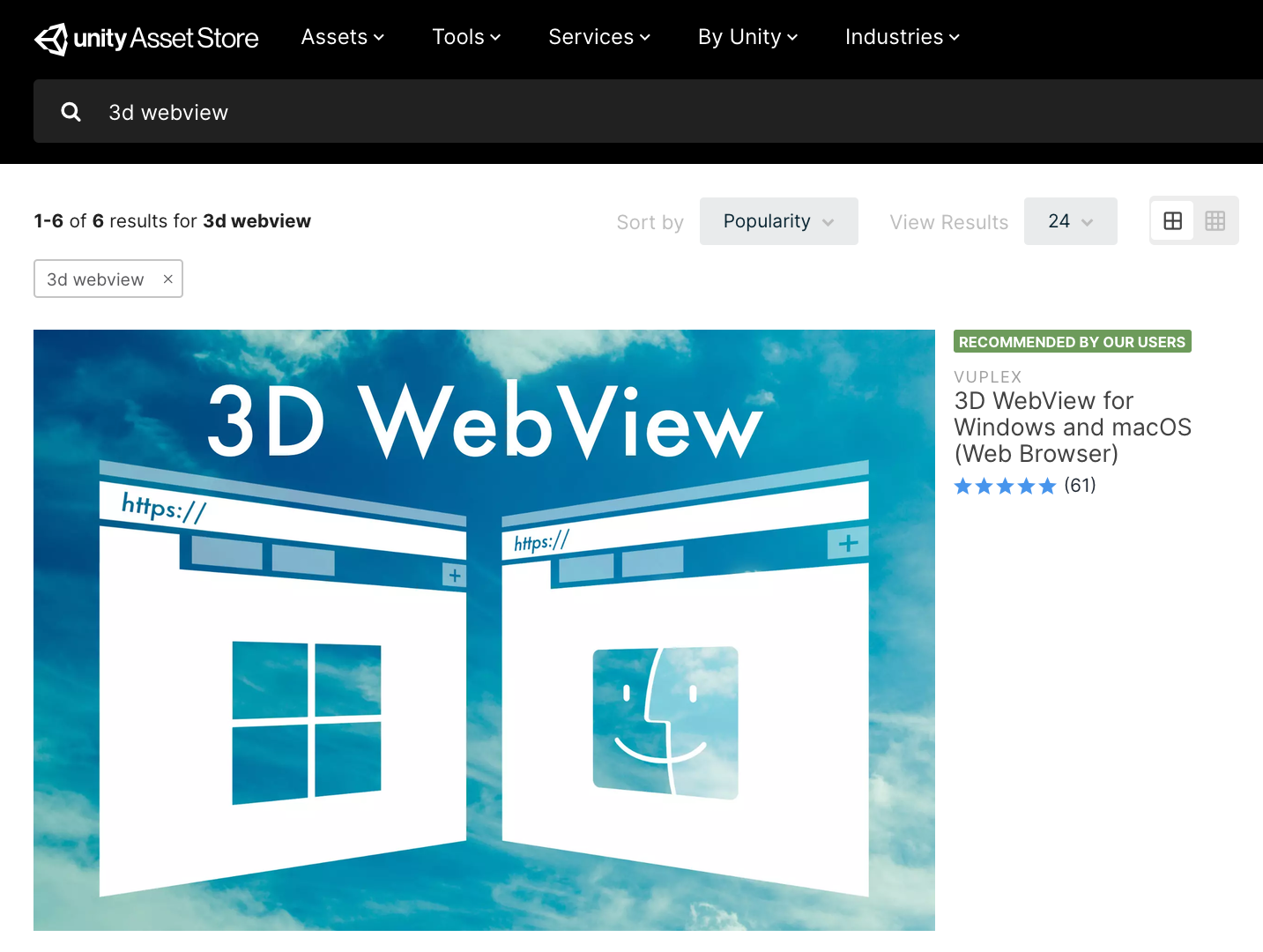\n\n3. I then created a new scene named UnityHtmlUiExample with a [CanvasWebViewPrefab](https://developer.vuplex.com/webview/CanvasWebViewPrefab) configured to occupy the entire screen. I really just copied and pasted 3D WebView's CanvasWebViewDemo scene, but it's also easy just to add a Canvas to a new scene and drag a CanvasWebViewPrefab into it.\n\n\n\n4. After that, I added a new Assets/StreamingAssets directory for the HTML and CSS files to go into.\n\n\n\n5. Then, I implemented the HTML and CSS for a simple signin UI and placed those files into the StreamingAssets directory. Below is the HTML from signin.html. To see the CSS, [check out the files on GitHub](https://github.com/vuplex/unity-html-ui-example).\n\n```\n\n\n \n \n \n \n \n \n
\n
\n
Welcome!
\n
\n Please sign in to get started.\n
\n \n \n The email or password is incorrect.\n \n Sign in later\n
\n
\n
✓ You're logged in
\n
\n
\n
\n
\n \n \n\n```\n\n6. In the Unity editor, I then set the CanvasWebViewPrefab's [Initial URL](https://developer.vuplex.com/webview/WebViewPrefab#InitialUrl) field to `streaming-assets://signin.html` so that it loads the page.\n\n\n\n7. Finally, I hit play to see the UI in action:\n\n\n\nI also installed [3D WebView for Android](https://assetstore.unity.com/packages/tools/gui/3d-webview-for-android-web-browser-137030) and tested on Android:\n\n\n\n
Closing thoughts
\n\nAlthough I kept this example simple, it's easy to think of valuable improvements that we could add. For example, we could modify the signin page to give users the option to signin with Google or Facebook. Or we could implement the UI in React.js and share UI components across multiple views. I plan to write articles about both of these topics in the future. If you're interested in creating your own Unity UIs with HTML, go get [3D WebView](https://developer.vuplex.com/webview/overview) and [let me know if you have questions or feedback](https://support.vuplex.com/contact)!\n"},{"title":"MP4 / H.264 video support","date":"2020-06-24","content":"[3D WebView for Windows and macOS](https://developer.vuplex.com/webview/overview) now supports [MP4 / H.264 video](https://support.vuplex.com/articles/how-to-enable-proprietary-video-codecs)!","videoUrl":"/post-assets/20200624-mp4-support/demo.mp4","twitterUrl":"https://twitter.com/vuplex/status/1275896935346507776","facebookUrl":"https://www.facebook.com/vuplexbrowser/videos/2275128032795748","linkedInUrl":"https://www.linkedin.com/feed/update/urn:li:activity:6681665810102013953"},{"title":"Easy hover and drag-and-drop","date":"2020-05-30","content":"[3D WebView](https://developer.vuplex.com/webview/overview)'s prefabs now support hover and drag interactions out-of-the box on Android, Windows, and macOS!","videoUrl":"/post-assets/20200530-hover-and-drag/demo.mp4","twitterUrl":"https://twitter.com/vuplex/status/1266790715893448706","facebookUrl":"https://www.facebook.com/vuplexbrowser/videos/318656299121921","linkedInUrl":"https://www.linkedin.com/feed/update/urn:li:activity:6672558070322802688"},{"title":"3D WebView for UWP / Hololens","date":"2020-05-10","content":"Developing a Unity app for HoloLens or UWP? Now you can easily add interactive web content using 3D WebView for UWP!","images":[{"url":"/post-assets/20200510-uwp-hololens/uwp-hololens.jpg","linkUrl":"https://assetstore.unity.com/packages/tools/gui/3d-webview-for-uwp-hololens-166365","title":"3D WebView for UWP / Hololens","description":"Easily render and interact with web content in 3D on UWP or Hololens using the same code that powers the Vuplex VR/AR Browser."}],"twitterUrl":"https://twitter.com/vuplex/status/1258826073544032258","facebookUrl":"https://www.facebook.com/vuplexbrowser/posts/2947732208648438","linkedInUrl":"https://www.linkedin.com/feed/update/urn:li:activity:6664593431203061760"},{"title":"3D WebView now supports Unity Canvas","date":"2020-01-07","content":"[3D WebView for Unity](https://developer.vuplex.com/webview/overview) now has first-class support for embedding web content in a Canvas! The new [`CanvasWebViewPrefab`](https://developer.vuplex.com/webview/CanvasWebViewPrefab) and demo scene make it a breeze to add a webview to a Canvas on Android, iOS, Windows, and macOS.","videoUrl":"/post-assets/20200107-canvas/canvas-demo.mp4","twitterUrl":"https://twitter.com/vuplex/status/1214637440813731842","facebookUrl":"https://www.facebook.com/vuplexbrowser/videos/472756190102450","linkedInUrl":"https://www.linkedin.com/feed/update/urn:li:activity:6620405401231982593"},{"title":"3D WebView for Android with Gecko Engine","date":"2019-12-21","content":"Want to embed web content in your VR app? 3D WebView has a new plugin optimized for standalone headsets like Oculus Quest and Go, which embeds Mozilla's Gecko browser engine for improved video and WebGL support.","images":[{"url":"/post-assets/20191221-android-gecko/android-gecko.jpg","linkUrl":"https://assetstore.unity.com/packages/tools/gui/3d-webview-for-android-with-gecko-engine-158778","title":"3D WebView for Android with Gecko Engine","description":"Easily render and interact with web content in 3D on Android using the same code that powers the Vuplex VR/AR Browser."}],"twitterUrl":"https://twitter.com/vuplex/status/1208448405099470855","facebookUrl":"https://www.facebook.com/vuplexbrowser/posts/2650832908338371","linkedInUrl":"https://www.linkedin.com/feed/update/urn:li:activity:6614214702593523712"},{"title":"Unity's top new asset","date":"2019-12-12","content":"3D WebView for Windows and macOS is #1 on Unity's list of top new assets!","images":[{"url":"/post-assets/20191212-top-new-asset/top-new-asset.jpg","alt":"Screenshot of Unity's top new assets list","linkUrl":"https://developer.vuplex.com/webview/overview"}],"twitterUrl":"https://twitter.com/vuplex/status/1205210547525959680","facebookUrl":"https://www.facebook.com/vuplexbrowser/posts/2632075770214085","linkedInUrl":"https://www.linkedin.com/posts/vuplex_unity3d-unitydeveloper-virtualreality-activity-6610978754699370497-rkzu"},{"title":"Introducing 3D WebView for Windows and macOS","date":"2019-10-14","urlPath":"/windows-and-macos","thumbnail":"/article-assets/20191014-windows-and-macos/thumbnail.png","description":"Create web-enabled 3D apps that run seamlessly across Android, iOS, Windows, and macOS!","content":"\n\n \n 3D WebView demo in the Unity editor\n\n\n[3D WebView](https://developer.vuplex.com/webview/overview) is a plugin for the [Unity game engine](https://unity.com) that makes it easy for developers to embed web browsers and web content into 3D games and apps. 3D WebView has always supported Android and iOS, and today I'm excited to announce support for two new platforms: [Windows and macOS](https://assetstore.unity.com/packages/tools/gui/3d-webview-for-windows-and-macos-154144).\n\nDevelopers can now take advantage of 3D WebView's [unified API](https://developer.vuplex.com/webview/IWebView) to create web-enabled 3D apps that run seamlessly across all four platforms! The plugin also runs in the Unity editor like you would expect, which is extremely helpful for speeding up mobile app development. To get started, just [purchase it in the Asset Store](https://assetstore.unity.com/packages/tools/gui/3d-webview-for-windows-and-macos-154144) and follow the simple steps in the [Getting Started guide](https://developer.vuplex.com/webview/getting-started). If you have any questions or feedback, please [let me know](https://vuplex.com/contact)!\n\n\n \n\n"},{"title":"3D Backgrounds in VR Browser","date":"2019-07-10","content":"VR Browser has new 3D Backgrounds, so you can now browse the web while hanging out on a sunny city terrace or relaxing in a penthouse lounge.","videoUrl":"/post-assets/20190710-vr-browser-3d-backgrounds/3d-backgrounds-demo.mp4","twitterUrl":"https://twitter.com/vuplex/status/1149054658683580417","facebookUrl":"https://www.facebook.com/vuplexbrowser/videos/1273814756130057","linkedInUrl":"https://www.linkedin.com/feed/update/urn:li:activity:6554822543755345921"},{"title":"3D WebView v2.6.0 Released","date":"2019-07-08","content":"\n\nAdded new [`IWebView`](https://developer.vuplex.com/webview/IWebView) methods and properties to [3D WebView](https://developer.vuplex.com/webview/overview):\n- [`GetRawTextureData()`](https://developer.vuplex.com/webview/IWebView#GetRawTextureData)\n- [`LoadUrl(url, additionalHttpHeaders)`](https://developer.vuplex.com/webview/IWebView#LoadUrl)\n- [`Resolution`](https://developer.vuplex.com/webview/IWebView#Resolution)\n- [`SizeInPixels`](https://developer.vuplex.com/webview/IWebView#SizeInPixels)\n\nImprovements:\n- Made it so that a placeholder image is shown in the webview while running in the editor\n- Updated `MockWebView` so that it logs messages to indicate when its methods are called while running in the editor\n- Added a [`WebViewPrefab.Init()`](https://developer.vuplex.com/webview/WebViewPrefab#Init) method for initializing the prefab to its current dimensions set via the editor\n- Implemented [`AndroidWebView.Focus()`](https://developer.vuplex.com/webview/IWebView#Focus)\n- Updated the iOS plugin to expose `VXWebViewAppController` so that other plugins can extend it\n\nBug fixes:\n- Fixed an issue where calling `WebViewPrefab.Resize()` before it's initialized would cause a `NullReferenceException`\n- Fixed an issue where navigating to the YouTube homepage while a video is playing would cause the video to continue playing\n- Fixed an issue on Oculus Quest where video from a previous page would continue to play after loading about:blank\n- Fixed an issue where Android Q expected HTML passed to `IWebView.LoadHtml()` to have # characters URL-encoded as %23"},{"title":"Embed web content in augmented reality with 3D WebView","date":"2019-06-08","content":"\nWant to interact with web content in your AR project? Check out [this example project](https://github.com/vuplex/ar-foundation-webview-example) for how to use the [3D WebView plugin](https://developer.vuplex.com/webview/overview) with Unity's AR Foundation.\n\nIn the future, you'll be able to tell your AR glasses to put websites in certain places (for example, if I see a toilet, show Gmail by it so that I can check my inbox).","videoUrl":"/post-assets/20190608-ar-foundation/ar-foundation-demo.mp4","twitterUrl":"https://twitter.com/vuplex/status/1137410592141131776","facebookUrl":"https://www.facebook.com/vuplexbrowser/videos/1342684272576493","linkedInUrl":"https://www.linkedin.com/feed/update/urn:li:activity:6543181778000187392"},{"title":"Mouse support in VR Browser","date":"2019-05-24","content":"I just updated VR Browser to add support for using a plain-old-mouse. It may not be as fun as using the VR controller, but it gives you the familiar and productive feel of a PC.","videoUrl":"/post-assets/20190524-mouse-support/mouse-support.mp4","twitterUrl":"https://twitter.com/vuplex/status/1131996050930184194","facebookUrl":"https://www.facebook.com/vuplexbrowser/videos/361709921367662/"},{"title":"Debugging webviews on Android and iOS","description":"How to remotely debug webviews on Android and iOS using Chrome DevTools and Safari Web Inspector…","date":"2019-03-24","urlPath":"/debugging-webviews","thumbnail":"/article-assets/20190324-debugging-webviews/thumbnail.jpg","content":"\nIt's sometimes helpful to debug a webpage rendered in a webview in order to inspect its layout or to troubleshoot JavaScript. Fortunately, it's easy to remotely inspect webviews that are running in your Android or iOS application. This entails connecting your Android or iOS device to your dev computer and then using your browser's developer tools to inspect your app's webviews.\n\n## Debugging Android webviews\n\nOne way to troubleshoot JavaScript on Android is to insert `console.log()` statements into your code, since those messages are printed to the Logcat logs that are viewable in Android Studio. However, it's often much more helpful to inspect the page with Chrome DevTools, because that allows you to use its JavaScript debugger and other essential tools. To do that, just follow these steps:\n\n1. First, [enable USB debugging](https://developer.android.com/studio/debug/dev-options#debugging) on your Android device. If you use the device for development, then you've probably done this already.\n2. [Install Chrome](https://www.google.com/chrome/) on your dev computer if you haven't yet.\n3. Connect your Android device to your dev computer and launch your application.\n4. Launch Chrome on your dev computer and navigate to the url `chrome://inspect`. This page shows you a list of webview instances running on your connected Android device.\n\n5. Click the *inspect* link next to the webview that you wish to debug. This will open a new Chrome DevTools window for inspecting the webview.\n\n\n## Debugging iOS webviews\n\nIn iOS webviews, messages passed to `console.log()` are *not* printed to the Xcode logs. It's still relatively easy to debug web content with Safari's developer tools, although there are a couple of limitations:\n\n- Debugging iOS webviews requires Safari, so your dev computer must be running macOS.\n- You can only debug webviews in applications loaded onto your device through Xcode. You can't debug webviews in apps installed through the App Store or Apple Configurator.\n\nWith those limitations in mind, here are the steps to remotely debug a webview in iOS:\n\n1. First, enable the Safari Web Inspector on your iOS device by opening the iOS *Settings* app, navigating to **Settings > Safari > Advanced**, and toggling the *Web Inspector* option on.\n\n2. Next, you must also enable developer tools in Safari on your dev computer. Launch Safari on your dev machine and navigate to **Safari > Preferences** in the menu bar. In the preferences pane that appears, click on the *Advanced* tab and then enable the *Show Develop menu* option at the bottom. After you do that, you can close the preferences pane.\n\n3. Connect your iOS device to your dev computer and launch your app.\n4. In Safari on your dev computer, click on *Develop* in the menu bar and hover over the dropdown option that is your iOS device's name to show a list of webview instances running on your iOS device.\n\n5. Click the dropdown option for the webview that you wish to debug. This will open a new Safari Web Inspector window for inspecting the webview.\n\n"},{"title":"Browser session auto-restore","date":"2019-03-24","urlPath":"/browser-session","thumbnail":"/article-assets/20190324-browser-session/thumbnail.png","content":"\nOne of VR Browser's best features is its ability to surround you with multiple browser windows in 3D space. Until today, though, it didn't remember the positions or tabs of your windows after you closed the app. Starting today with VR Browser v1.15, launching the app will restore your previous browsing session! This restores the locations, sizes, and tabs of your windows from your last browsing session. Try it out today on Android, Oculus, or iOS.\n\n\n \n Demo of restoring a browser session\n\n"},{"title":"3D WebView plugin for Unity","date":"2019-03-08","content":"Making an Android or iOS app with Unity? Now you can easily embed web content with the 3D WebView asset! Check it out on the [Vuplex developer site](https://developer.vuplex.com/webview/overview).","videoUrl":"/post-assets/20190308-3d-webview/3d-webview.mp4","twitterUrl":"https://twitter.com/vuplex/status/1104071216242085888","facebookUrl":"https://www.facebook.com/vuplexbrowser/videos/262964527956632/"},{"title":"VR Browser for Oculus Go","date":"2019-01-08","content":"Have an Oculus Go or Gear VR headset? Vuplex VR Browser is now available for these platforms, too! [Go download it](https://www.oculus.com/experiences/go/1716339908435593/) and start surfing the web in VR.","images":[{"url":"/post-assets/20190108-vr-browser-oculus-go/vr-browser.jpeg","linkUrl":"https://www.oculus.com/experiences/go/1716339908435593/","title":"VR Browser","description":"Vuplex VR Browser lets you surf the web with multiple browser windows that you can move and resize in 3D space. You can watch videos, conn..."}],"twitterUrl":"https://twitter.com/vuplex/status/1082796407415865346","facebookUrl":"https://www.facebook.com/vuplexbrowser/posts/2049823051772696"},{"title":"Introducing voice control","date":"2018-08-15","urlPath":"/voice","thumbnail":"/article-assets/20180815-voice-support/thumbnail.png","content":"\nBrowsing the web in VR with a wireless controller feels great, because you're not stuck in front of a monitor and keyboard. You can stand up, lay down, or swivel around as your heart desires. However, that freedom comes with a tradeoff: typing with the on-screen keyboard feels comparatively slow. This is where the new voice feature comes in. Now you can enter text quickly without needing to be stationed in front of a full keyboard (although you can still connect one of those, too, if you want). I know I'll personally be using voice control heavily until someone (_maybe me?_) starts making handheld mixed reality controllers with built-in keyboard keys.\n\n\n
\n \n
\n Fig. 1 - Voice control demo\n\n"},{"title":"VR Browser privacy policy","date":"2018-08-09","urlPath":"/privacy","thumbnail":"/article-assets/20180809-privacy-policy/vuplex-icon.jpg","description":"A clear explanation of what data VR Browser saves on-device and how that data is used in the app.","content":"\n- Vuplex VR Browser saves the user's web browsing history privately on-device for the browsing history page. Importantly, this private browsing history is not transmitted or shared in any way and is only visible to the user. The browsing history can be deleted at any time by using the browsing history page.\n\n- The app currently does not offer capabilities to sync private browsing information (like bookmarks) to the cloud. If that functionality is introduced in the future, this privacy policy will be updated to reflect that and the feature will require the user to opt-in.\n\n- Vuplex VR Browser does not save or track the text or audio that the user inputs through the browser.\n\n- Like all web browsers, Vuplex VR Browser sends and receives information over the internet on behalf of the user. Because of that, it's worthwhile to list some privacy aspects that are characteristic of most web browsers, including Vuplex VR Browser.\n - When you access a website, that website has the ability to see what content you access and send on the site.\n - Additionally, your internet service provider has the ability to see what websites you access.\n - Ad networks frequently use technologies that attempt to identify and track the browser as it traverses across multiple sites.\n\n- There are two cases where Vuplex VR Browser sends network requests that aren't directly related to a website the user is accessing:\n - Speech recognition: When the user presses the microphone button to dictate text, the app uses the operating system's built-in speech recognition capabilities. In the case of both Android and iOS, the speech recognition isn't computed on-device; instead, the operating system transmits the audio to a webservice operated by the company (Google and Apple, respectively), and then the dictation results are sent back to the device for the application to use.\n - Google Analytics: Vuplex VR Browser uses Google Analytics to report when the app is started so that I can estimate the number of active devices with the app installed.\n"},{"title":"Announcing video support!","date":"2018-07-27","urlPath":"/video","thumbnail":"/article-assets/20180725-video-support/thumbnail.png","content":"\nEver since I first launched Vuplex VR Browser in September, my users have been asking me if I could add support for video playback.\n\n\n \n Fig. 1 - An avid user\n\n\nToday I'm excited to announce that video is now supported in both the Android and iOS versions of the app! Want to explore music videos on YouTube? _Go for it!_ Need to watch animals being derps on Reddit? _You got it!_ Want to Netflix and chill by yourself? _Not so fast! Netflix and some other video streaming sites don't work yet._ Here's an example of what video looks like in-app:\n\n\n
\n \n
\n Fig. 2 - Video demo with music from The Octopus Project\n\n"},{"title":"Daydream controller support in VR Browser","date":"2018-02-23","content":"Great news — I just updated the Android version of VR Browser so that you can use a Google Daydream controller, which is way more fun and intuitive than using a bluetooth keyboard.","images":[{"url":"/post-assets/20180123-daydream-controller/daydream-controller.jpg"}],"twitterUrl":"https://twitter.com/vuplex/status/955989446486315008","facebookUrl":"https://www.facebook.com/vuplexbrowser/photos/a.1602510986503907/1612841162137556/?type=3&theater"},{"title":"VR Browser v1.7 updates","date":"2018-01-12","content":"\nBig updates landed today in VR Browser app for iOS and Android:\n- transparent backgrounds\n- hover events on Android (coming soon to iOS)\n- finding text with Cmd+F","images":[{"url":"/post-assets/20190112-vr-browser-updates/vr-browser-1.7.jpg"}],"twitterUrl":"https://twitter.com/vuplex/status/952028229145104384","facebookUrl":"https://www.facebook.com/vuplexbrowser/photos/a.1602510986503907/1602510556503950/?type=3&theater"},{"title":"New features in VR Browser","date":"2017-12-22","content":"VR Browser for iOS and Android just added some important features! Now you can search your browser history, zoom in and out, and move windows closer. Download it today and start browsing the web in virtual reality!","twitterUrl":"https://twitter.com/vuplex/status/944265659952836608","facebookUrl":"https://www.facebook.com/vuplexbrowser/posts/1581856241902715"},{"title":"VR Browser comes to Android","date":"2017-11-19","content":"Great news, Android friends - Viewport VR Web Browser now supports both Android and iOS. [Go download it](https://play.google.com/store/apps/details?id=design.sonic.vrdesktop&hl=en) and start surfing the web in virtual reality!","twitterUrl":"https://twitter.com/vuplex/status/932279458026881024"},{"title":"Announcing VR Browser for iOS","date":"2017-09-07","content":"Today I'm launching version 1.0 of the Viewport VR Browser: an app that turns your phone into a virtual reality headset for surfing the web. [Go download it for free](https://itunes.apple.com/us/app/vr-browser/id1265684645?ls=1&mt=8) and surround yourself with web browser windows that you can move and resize in 3D space!","twitterUrl":"https://twitter.com/vuplex/status/904771735676997632","facebookUrl":"https://www.facebook.com/vuplexbrowser/posts/1482620938492913"}]}}
 \n
 \n